
Task Management Powerhouses Lead the Way (Image Credits: Pexels)
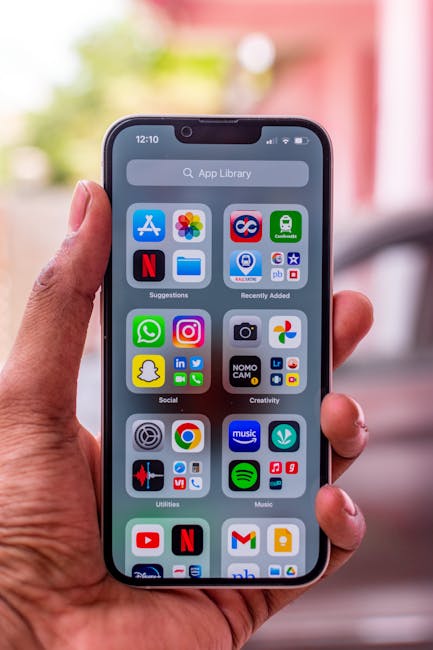
Professionals face mounting pressures to juggle tasks, schedules, and long-term goals amid fast-evolving business landscapes. iPhone apps have emerged as indispensable tools, offering seamless iOS integration and features tailored for productivity. Recent expert evaluations underscore selections like Todoist, TickTick, and Things 3 for their balance of simplicity and power, enabling users to transform disarray into structured efficiency.[1][2]
Task Management Powerhouses Lead the Way
Effective task handling forms the foundation of organization, and iPhone apps excel by providing natural language input, priorities, and subtasks. Todoist stood out in reviews for its clean interface, color coding, and over 150 filter views, which allow users to sort tasks effortlessly across projects.[1] The app supports recurring reminders and integrates with calendars like Google and Outlook, making it ideal for business workflows.
TickTick complemented this with a generous free tier that includes Pomodoro timers and habit tracking, blending daily chores with focused work sessions. Things 3, exclusive to Apple devices, delivered hierarchical organization through Areas, Projects, and tags, complete with motivational progress visuals. These tools reduced overwhelm by enabling quick entry and reliable syncing across iPhone, iPad, and Mac.
Seamless Scheduling for Busy Schedules
Schedules demand visibility, and apps that merge calendars with tasks prevent oversights. TickTick’s embedded calendar view displayed tasks alongside events, supported by location-based alerts and customizable smart lists.[1] Apple Reminders, pre-installed on iPhone, offered iCloud syncing, Siri voice commands, and smart lists for groceries or errands, proving sufficient for straightforward planning.
Any.do simplified daily overviews with its “Plan My Day” feature, which prompted users to prioritize and integrated reminders across email and voice. Notion Calendar pulled in meetings and databases, using AI to link notes directly to events. Such integrations ensured professionals stayed aligned without app-switching, fostering punctuality in high-stakes environments.
Goal Tracking That Drives Results
Personal goals require more than lists; they thrive on progress monitoring and motivation. Todoist’s productivity reports featured pie charts and streak counters, helping users gauge advancement toward objectives.[2] TickTick extended this with built-in habit trackers, allowing recurring goals like fitness routines to build momentum.
Notion provided customizable databases for goal breakdowns, combining notes, wikis, and task boards into flexible workspaces suitable for business planning. Evernote captured ideas with tags and searchable scans, evolving into a central hub for long-term aspirations. These apps turned abstract ambitions into actionable steps, with offline access ensuring consistency during travel.
Comparing Core Features at a Glance
| App | Key Strength | Pricing |
|---|---|---|
| Todoist | Filters & Integrations | Free; Pro $7/mo |
| TickTick | Pomodoro & Habits | Free; Premium $4/mo |
| Things 3 | Apple Design | $10 one-time (iPhone) |
| Apple Reminders | Built-in Sync | Free |
This table highlights standout options based on expert tests, where free tiers often sufficed for individuals while premiums unlocked teams.[3] Selection depended on needs, from solo use to collaborative projects.
Key Takeaways
- Start with Todoist or TickTick for versatile task and schedule management across devices.
- Apple loyalists gain most from Things 3 and Reminders for native polish.
- Incorporate Notion for goal-oriented customization that scales with ambitions.
These iPhone apps equip users to conquer disorganization, blending robust features with intuitive iOS experiences for sustained productivity. Business leaders who adopt them reported clearer focus and better outcomes. Which app aligns with your workflow? Tell us in the comments.