
A Software Engineer’s Breakthrough Goes Viral (Image Credits: Pexels)
Artificial intelligence tools continue to democratize design tasks once reserved for specialists, with Claude now capable of crafting custom fonts directly from scanned handwriting.
A Software Engineer’s Breakthrough Goes Viral
Software engineer Ashe Magalhaes recently demonstrated a striking capability of the latest Claude AI model. The engineer shared on X how the tool leverages external Python libraries to generate installable TrueType fonts from a single scanned page of characters.Ashe Magalhaes on X
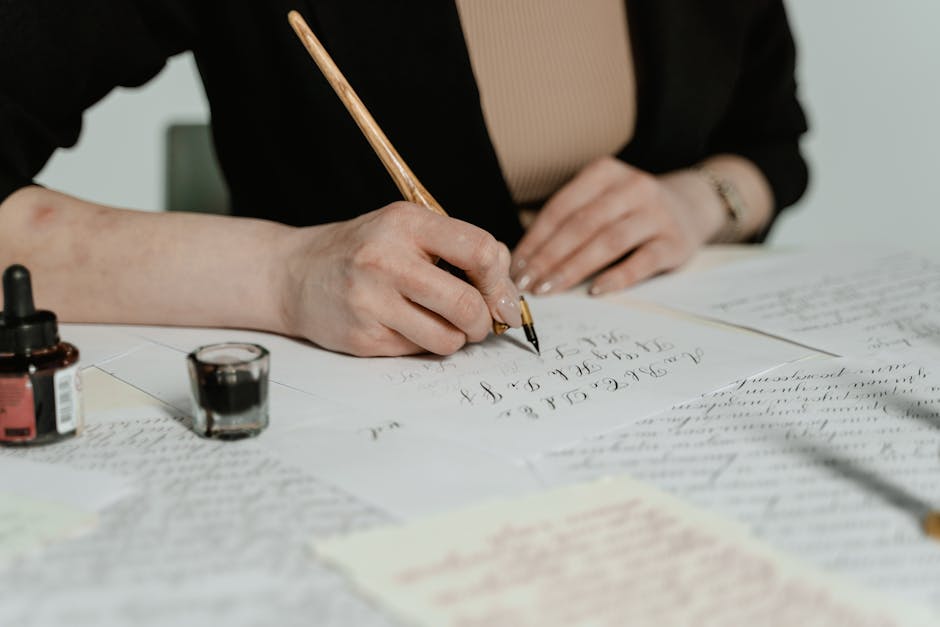
Magalhaes outlined a straightforward approach: users simply write out lowercase letters, uppercase letters, numbers, and punctuation on paper. They then upload the scan to Claude, which handles the rest. This method surfaced just days ago, drawing widespread attention for its simplicity. Previously, such conversions required dedicated software like Calligraphr or FontForge. Claude eliminates those barriers for anyone with a free account.
Getting Started: From Paper to Digital Template
Claude begins by providing a printable template to ensure characters align properly. Users fill in a-z, A-Z, 0-9, and key punctuation marks in a structured grid. The AI offers scanning tips, such as avoiding shadows, distortions, or poor lighting, to facilitate accurate contour tracing.
Once scanned, the image uploads directly into a chat with Claude. The model confirms its approach, explaining that it will segment characters, vectorize outlines, and assemble them into a.TTF file. This process relies on Python font libraries integrated via Claude’s tool-using abilities. Results typically emerge after a few minutes of processing narration from the AI.
Hands-On Trials Reveal Iterative Refinements
Testing with deliberate messy handwriting produced initial glitches, such as mangled glyphs resembling ink blots. Letters lacked proper internal spaces, filling closed shapes like ‘O’ and ‘A’ solid. Feedback loops proved essential: uploading screenshots of issues prompted Claude to diagnose contour detection failures and regenerate improved versions.
Subsequent iterations addressed these flaws. Problematic characters like ‘x’ and ‘y’, initially fused, separated correctly after adjustments. The final font installed successfully in systems like macOS Font Book, rendering recognizable forms despite starting from jagged script. Cleaner samples, such as Magalhaes’s own, yielded superior outcomes from the first attempt.
Essential Tips for Flawless Fonts
Success hinges on preparation. Opt for lined paper and generous spacing between characters to aid segmentation. Claude’s template minimizes errors by standardizing layout.
- Print and use the AI-generated template for optimal alignment.
- Scan in even lighting with a flat, straight page.
- Write consistently thick lines for reliable tracing.
- Iterate with screenshots if glyphs appear distorted.
- Test the.TTF file immediately in a word processor.
Key Takeaways
- Claude handles complex font generation via Python tools, no coding required.
- Clear handwriting and proper scanning drastically reduce revision needs.
- This feature opens custom typography to non-designers worldwide.
Claude’s font creation tool marks a leap in accessible creativity, turning personal scribbles into professional assets. Designers and hobbyists alike can now personalize projects effortlessly. What handwriting style would you digitize first? Share your thoughts in the comments.